




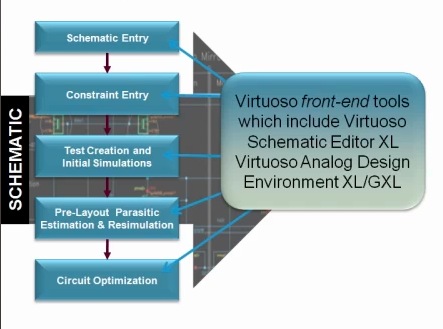

I learn a lot these days through webinars and videos because IC design tools like schematic capture and custom layout are visually oriented. Today I watched a video presentation from Steve Lewis and Stacy Whiteman of Cadence that showed how Virtuoso 6.1.5 is used in a custom IC design flow:
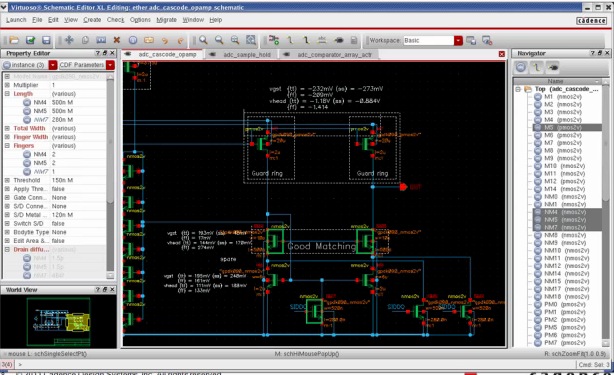
The schematic editor in Virtuoso has plenty of windows and features to allow you to cross-probe, set constraints, view, pan, zoom, traverse hierarchy and get your design ready for simulation:
HTML Publishing
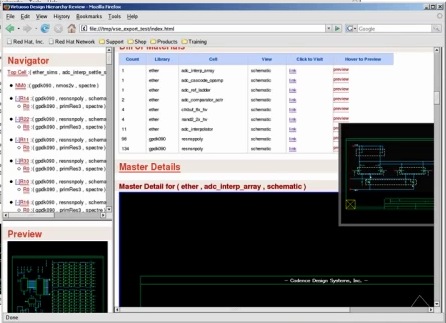
HTML publishing is a new feature and would be useful to show your schematic at a design review of even for documentation purposes. Since it’s HTML and can be scrolled you can cram a lot more info than just a screen shot:
Design Constraints
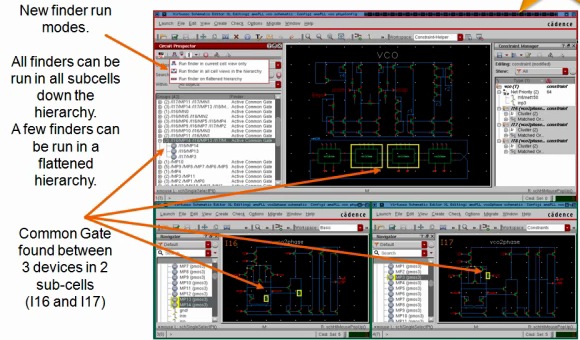
You can communicate design intent like matching and symmetry by using design constraints, a way to annotate intention between the circuit designer and layout designer.
Circuit Prospector
Find a specific topology like a current mirror by using the Circuit Prospector feature throughout your entire design. It’s much faster than manually staring at your design and trying to find something. You could even use this as an Electrical Rule Checker (ERC) tool to enforce your design methodology guidelines.
Notes
Circuit designers can leave notes for the layout designer that help convey design intent, saving time and reducing iterations. Notes help document your design as well.
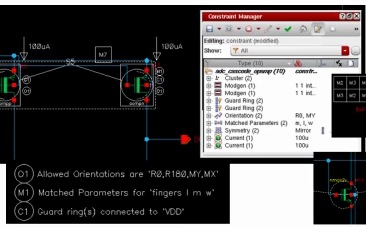
Layout designers can also use notes to communicate in a bidirectional fashion with the circuit designer.
Test Creation
The Analog Design Environment (ADE) has an XL feature that lets you run multiple ADE simulations in parallel to get results quicker instead of sequentially. Users of ADE will learn ADE XL quickly.
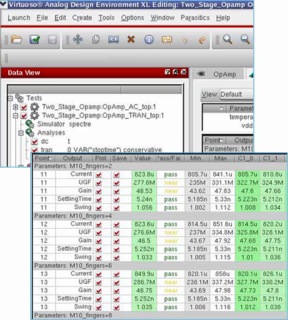
Parasitic Analysis
At 45nm and below you want to analyze your circuit designs with estimated layout parasitics as soon as possible to get early performance numbers. Migrating an IP block from one node to a new node can use stitching, kind of a re-use of previous parasitics as a starting point for parasitics. Rapid Analog Prototyping or RAP, allows you to do some quick placement and routing to get to layout quickly with extracted parasitics to get early performance.
Local Optimization
Once you have an IC layout then you can start to analyze and start to center your design to maximize performance. Corner analysis can be automatically run, or even worst case corners can be determined to center with and optimize. An optimizer can bring your IC block from 98% yield to 99% yield.
New Waveform Window
Not like wavescan or wave wv, this is all new for multi-GB data files, fast, accurate, intuitive, called Viva.
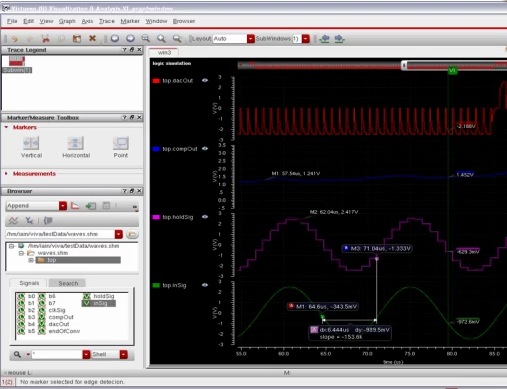
Demo
Stacy provided 38 minutes of details on how to best use Virtuoso, giving tips on how to save time and be more efficient in daily use.
Summary
Cadence Virtuoso users should take the one hour of time to review this video in order to become more effective with both schematic and IC layout, and save more time on IC design projects. With new features come benefits, and also updates to your existing methodology and way of doing things.



Comments
0 Replies to “Parasitic-Aware Design Flow with Virtuoso”
You must register or log in to view/post comments.